
Project Execution Hub
A project management platform to create and manage projects, assign tasks, collaborate with team members, and filter by tech stacks.
Tools:
React.js
Spring Boot
MySQL
Short Explanation
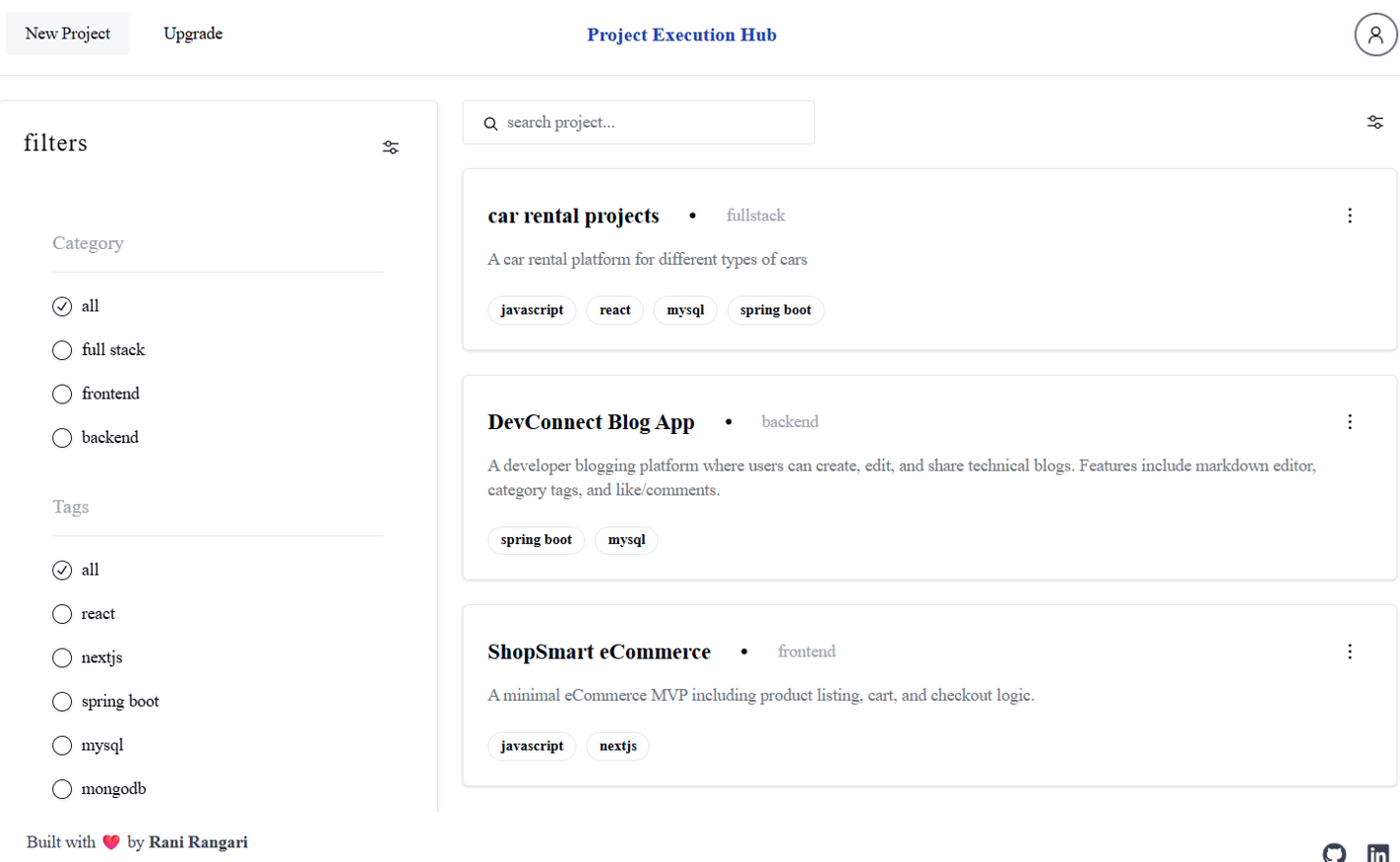
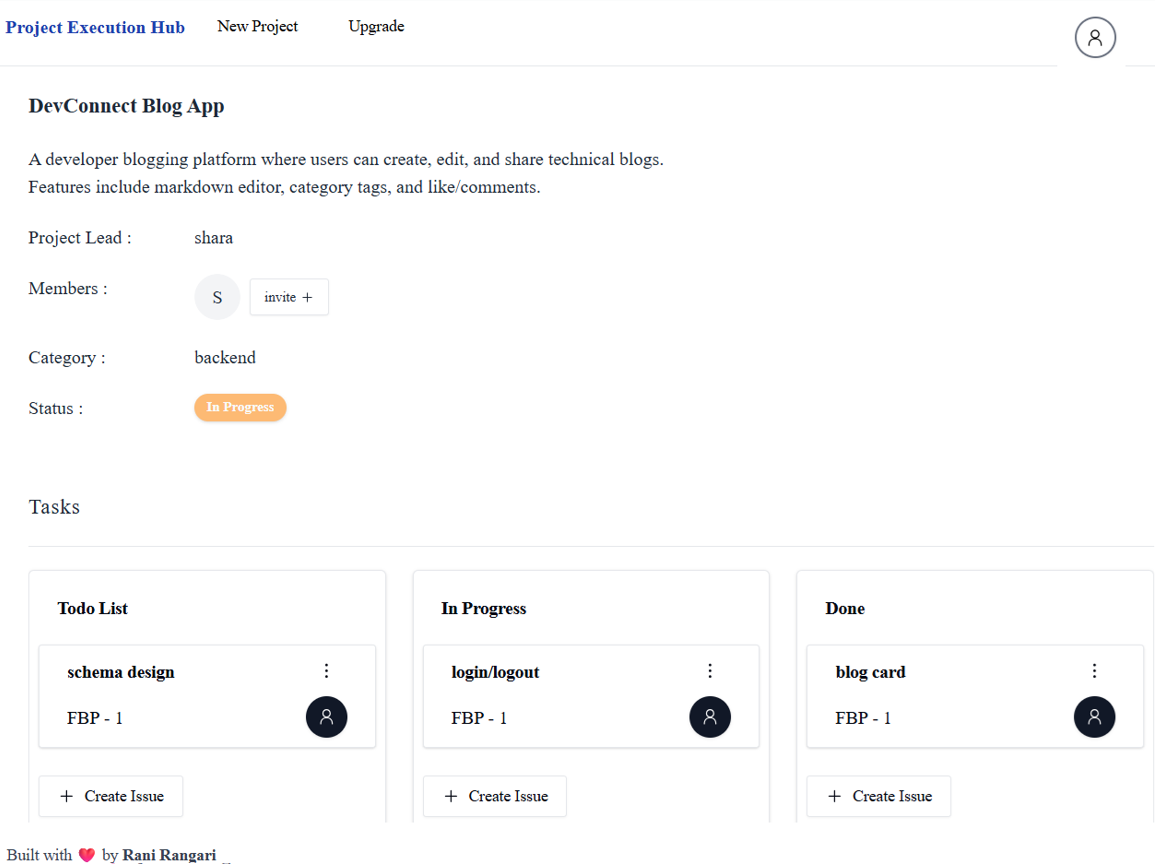
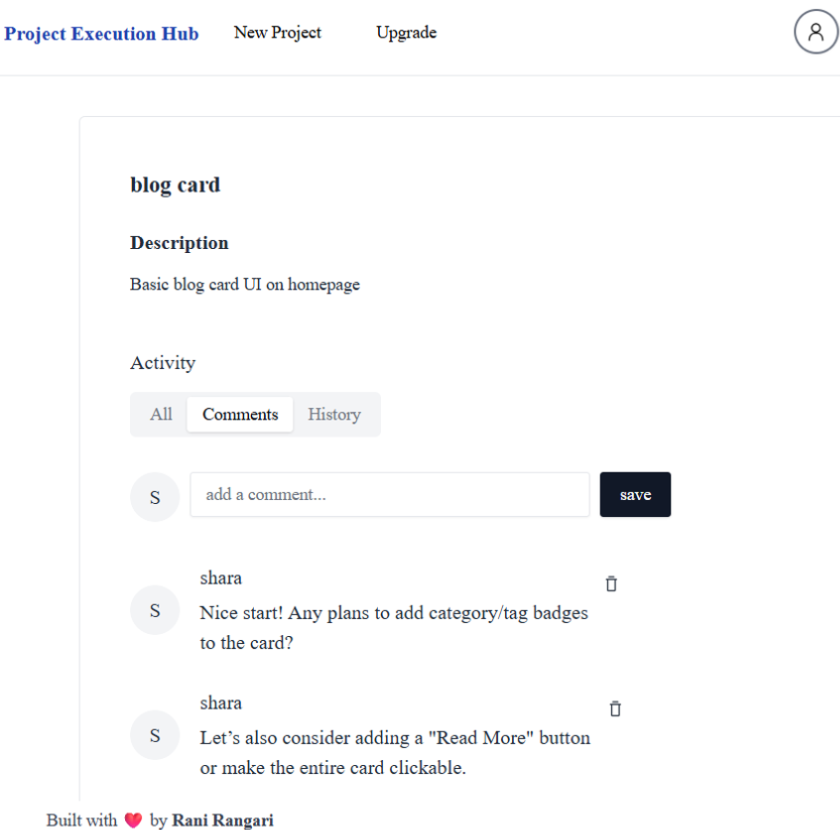
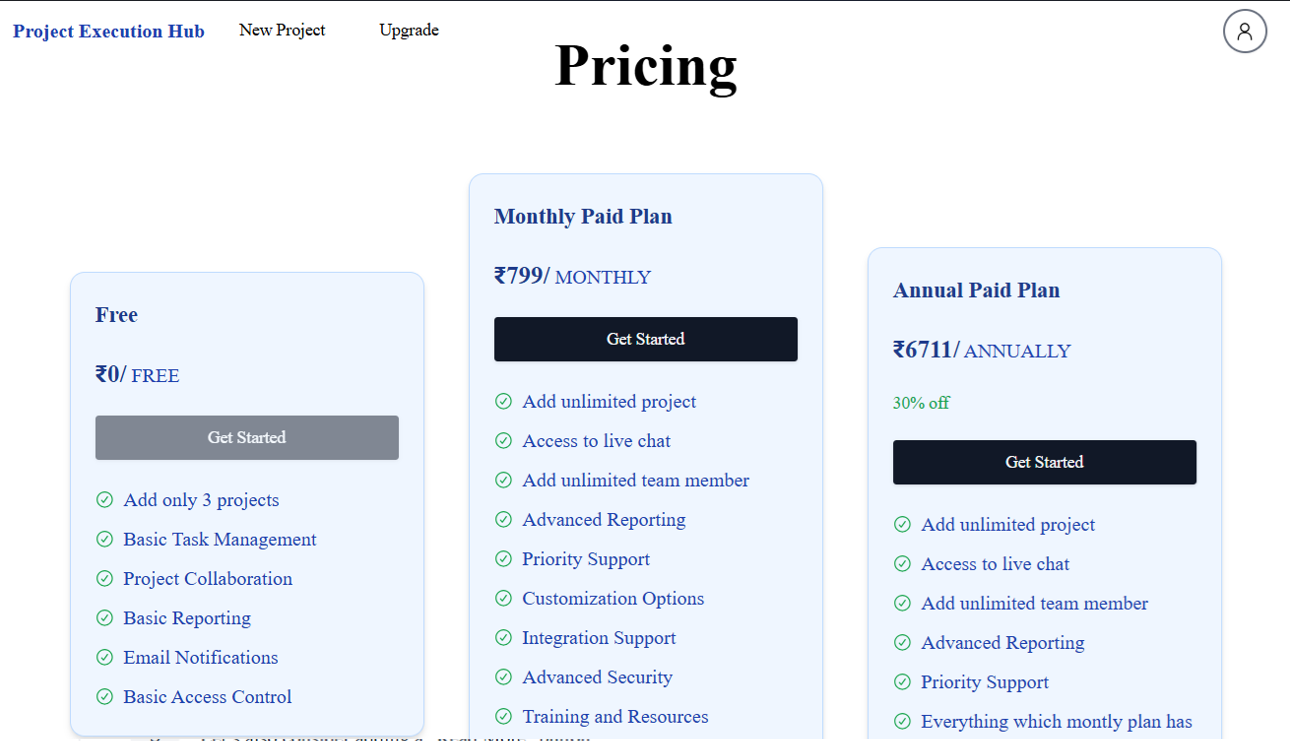
Project Execution Hub allows users to create upto 3 projects with details like name, description, category, and tags. It supports team collaboration via email, task management with assignable issues, and status updates, search and filter by categories or tech stack, and a test Razorpay checkout to unlock unlimited project creation.
Tech Stack Used
- React.js: A frontend library used to build dynamic user interfaces, manage state, and render components efficiently.
- Tailwind CSS: A utility-first CSS framework for creating responsive designs without writing custom CSS.
- Spring Boot: A backend framework used to create RESTful APIs, implement business logic, and handle server-side operations.
- MySQL: A relational database used to store data for users, products, orders, and transactions.
- Razorpay: Payment gateway integration for handling premium subscriptions
Image Preview
A quick look at some UI shots from the project:
The Problems and How I Deal With It
- Limiting project creation and data management: Initially, handling multiple projects with all details in the frontend was messy. I structured project date as arrays of objects and used dynamic rendering for tasks making management scalable.
- Task assignment and status tracking: Keeping track of task assignments and statuses across members was tricky. I implemented a clean state management appraoch to update tasks in real time and reflects their status accurately.
- Filtering and searching projects: Users needed to quickly find projects by category or tech stack. I implemented efficient filtering logic to make search intuitive and fast.
Lessons Learned
- I learned how to structure and manage dynamic project and task data efficiently.
- I realized the importance of clear state management for keeping task assignments and statuses consistent.